Artificial Intelligence: The University of Iowa Chat From Old Cap

This is just a quick follow-up which will allow me to clarify a few things about Artificial Intelligence (AI) in medicine at the University of Iowa, compared with my take on it based on my impressions of the Rounding@Iowa presentation recently. Also, prior to my writing this post, Sena and I had a spirited conversation about how much we are annoyed by our inability to, in her words, “dislodge AI” from our internet searches.

First of all, I should say that my understanding of the word “ambient” as used by Dr. Misurac was flawed, probably because I assumed it meant a specific company name. I found out that it’s often used as a term to describe how AI listens in the background to a clinic interview between clinician and patient. This is to enable the clinician to sit with the patient so they can interact with each other more naturally in real time, face to face.

Further, in this article about AI at the University of Iowa, Dr. Misurac identified the companies involved by name as Evidently and Nabla.

The other thing I want to do in this post is to highlight the YouTube presentation “AI Impact on Healthcare | The University of Iowa Chat From the Old Cap.” I think this is a fascinating discussion led by leaders in patient care, research, and teaching as they relate to the influence of AI.

This also allows me to say how much I appreciated learning from Dr. Lauris Kaldjian during my time working as a psychiatric consultant in the general hospital at University of Iowa Health Care. I respect his judgment very much and I hope you’ll see why. You can read more about his thoughts in this edition of Iowa Magazine.

“There must be constant navigation and negotiation to determine if this is for the good of patients. And the good of patients will continue to depend on clinicians who can demonstrate virtues like compassion, honesty, courage, and practical wisdom, which are characteristics of persons, not computers.” ——Lauris Kaldjian, director of the Carver College of Medicine’s Program in Bioethics and Humanities

Dirty Deepfakes

I saw an article about the unreliable ability of humans to detect digital deepfakes in audio and video productions (Mai KT, Bray S, Davies T, Griffin LD. Warning: Humans cannot reliably detect speech deepfakes. PLoS One. 2023 Aug 2;18(8):e0285333. doi: 10.1371/journal.pone.0285333. PMID: 37531336; PMCID: PMC10395974.).

I was a little surprised. I thought I was pretty good at detecting the weird cadence of Artificial Intelligence (AI) speech patterns, which I think I can distinguish pretty well. Maybe not.

And there are some experts who are concerned about AI’s ability to mimic written and spoken grammar—but it continues to make stuff up (called “hallucinations”). In fact, some research shows that AI can display great language skills but can’t form a true model of the world.

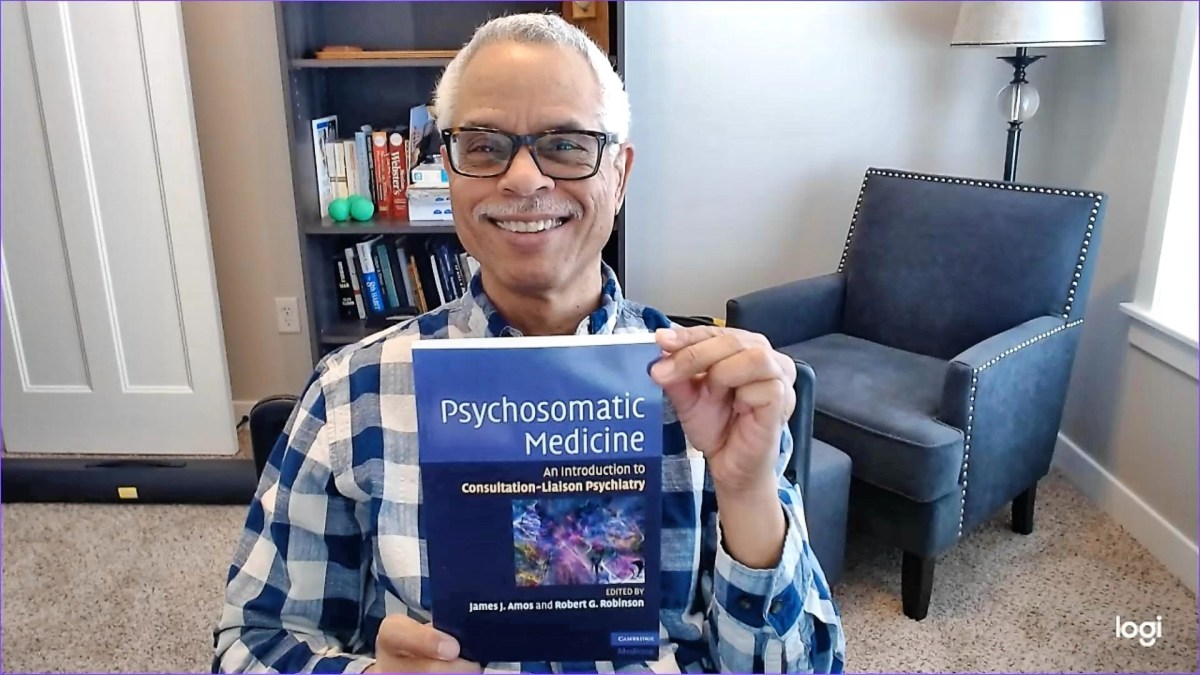
And the publisher of the book (“Psychosomatic Medicine: An Introduction to Consultation-Liaison Psychiatry”) that I and my co-editor, Dr. Robert G. Robinson, MD wrote 14 years ago is still sending me requests to sign a contract addendum that would allow the text to be used by AI organizations. I think I’m the only who gets the messages because they’re always sent to me and Bob—as though Bob lives with me or something.

Sometimes my publisher’s messages sound like they’re written by AI. Maybe I’m just paranoid.

Anyway, this reminds me of a blog post I wrote in 2011, “Going from Plan to Dirt,” which I re-posted last year under the title “Another Blast from the Past.” Currently, this post is slightly different although it still applies. I don’t think AI can distinguish plan from dirt and sometimes makes up dirt, simply put.

And if humans can’t distinguish the productions by AI from those of humans, where does that leave us?

AI Does Your Laundry

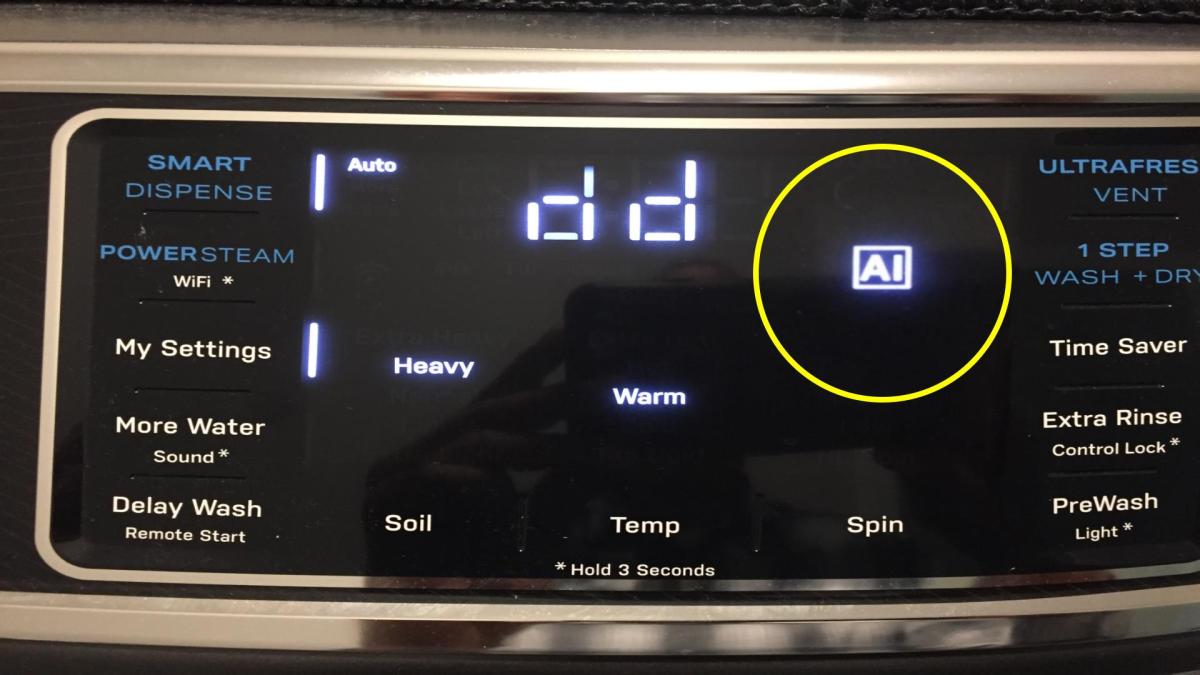
Recently we had somebody from the appliance store check our brand-new washing machine. The tech said “the noises are normal”—and then told us that many of the functions of the washer are run by Artificial Intelligence (AI). That was a new one on us.

Don’t get me wrong. The washer works. What sticks in the craw a little is that many of the settings we took for granted as being under our control are basically run by AI nowadays. I guess that means you can override some of the AI assist settings (which may be adjusted based on grime level, type of fabrics and the relative humidity in Botswana)—at least the ones not mandated by the EPA.

Incidentally, I tried to find some free images to use as featured images for this post. The problem is, many free pictures on the web are generated by AI these days, which is why I used the non-AI part of the Microsoft Paint app to make a crude drawing of an AI controlled washing machine.

I realize I’ll have to give up and accept the inevitable takeover of much of human society by AI. On the other hand, the prospect reminds me of the scene in an X-Files episode, “Ghost in the Machine.” A guy gets exterminated by something called the Central Operating System (COS).

Use extra detergent and add more water at your own risk.

Should Everyone Download and Install the Windows Preview Updates?

The short answer to the question above is “No, especially if you’re not tech savvy.”

I’m not tech savvy by any means and I quit downloading Windows preview updates long ago when I read web articles saying they could be buggy and lead to a lot of frustrating computer problems.

The latest Windows preview update has caused computer woes again for many people, enough to make it the subject of news reports.

You’ll find some experts saying you can hide the preview updates by pressing some buttons. And the Artificial Intelligence (AI) response to a web search about the issue suggests you should download and install any and all updates without discriminating whether or not they are previews.

In my opinion, I think the safest response to the Windows update preview download announcement is to ignore it and wait for the actual finished update, which usually shows up during the second week of the month.

Can Artificial Intelligence Learn from My Book?

Recently the publisher of a book co-edited by me and my former psychiatry chair Dr. Robert G. Robinson asked me to sign off on a proposal to involve Artificial Intelligence (AI) in using the work.

The book, “Psychosomatic Medicine: An Introduction to Consultation-Liaison Psychiatry,” is 14 years old now, but is still a practical tool for learners, at least in my opinion.

Interestingly, it looks like the publisher is also trying to contact Dr. Robinson about the proposal through me. I wonder if that means they’re having as much trouble finding him as I have.

I’ve made it clear that I have misgivings about AI, as I’ve indicated in at least one blog post about Google’s AI, which used to be called, Bard which I think has been renamed Gemini. I think AI is prone to spreading misinformation, which has been called “hallucinations” by some writers.

The publisher makes it clear that this proposal regarding AI involvement in our book is an “opt in” choice. I gather that means if I don’t opt in, they’ll continue to bug me about it until I do.

That’s unlikely to happen.

Learning to Use ClipChamp While Recording Cribbage Game on Cribbage Pro

I’m learning how to use the video editor ClipChamp, the free version on the new laptop. So, I muddled through a screen recording of playing what’s called the Daily Cribbage Scrimmage on Cribbage Pro, a feature-rich computer Cribbage game on which you can different skill levels of computer players from easy to impossible as well as online with other live players.

I’m used to using an old version of PowerDirector for my video editing. I would have to expend a fair amount of energy and a little more money to install it on the laptop. I can deal with the webcam on the laptop, but using ClipChamp takes some getting used to.

I Think the United States Postal Service Owes Me $1.10

The other day I tried to process an online request for a USPS Change of Address (COA), but it didn’t work. It hung up at the “Loading” stage for a half hour and then kicked back to the start of the form without ever giving me a confirmation. Yet, it charged my credit card for $1.10, which I couldn’t get refunded at my local post office, where I submitted the paper COA the old-fashioned way. The clerk said she couldn’t do it and referred me to the dysfunctional USPS web site. This was just the beginning of the buck-passing.

I know that others have experienced this same difficulty because I did a web search on the topic. It’s been going on for at least a year.

I tried contacting the Office of the Inspector General who referred me to my local consumer affairs office in Des Moines. I was already familiar with the 800 number. I found out from the automated reply tree that the COA issue could only be addressed through the dysfunctional online system or by submitting a paper COA at my local post office. No human ever got on the line.

Then I tried the online USPS technical support page. They assigned me a Service Request number and I have to wait for a response.

I know when I’m getting the run-around. This is not about the money. I realize some people lose more money between their sofa seat cushions than I’m losing to the USPS. This is about the USPS essentially stealing from customers.

I’ve set up my very first poll on this blog about the issue. I hope you’ll register your opinions by voting and commenting.

Is Cribbage Mostly Luck?

I found this cribbage YouTube site that does a really nice job of teaching you how to play Cribbage. Here’s a video about whether Cribbage is mainly a game of luck or skill. It turns out it’s a mix of both.

I play computer Cribbage games with high level computer opponents who-let’s face it, don’t make mistakes. You have to get used to losing pretty often, but there is a certain amount of skill which can help you win-sometimes.

Thoughts On Laptop Computers

We bought a laptop computer. It has been years since I’ve used one. I forgot how exasperating a touchpad is. Luckily, we have a spare wireless mouse and a USB port. The laptop is slim and very light, like most laptops these days.

I remember the first “laptop” I had early in my career as a consulting psychiatrist. I think it weighed about 2-3 times what the modern ones weigh nowadays. I think I could have stopped a thief from taking it from me by whacking him over the head with it.

If I remember correctly, it had a slot for floppy discs and another for disc media. It developed a hardware problem which forced me to box it up and send it back to the manufacturer for repairs. I don’t remember how long I kept it after that.

The new laptops don’t have any internal optical drives built into them.

I read a tech article in which the author’s opinion about the gradual disappearance of internal optical drives and other physical media for laptops was probably the result of large companies finding out they could make more money by charging subscription fees for digital media.

Microsoft comes to mind.

About That Artificial Intelligence…

I’ve got a couple of things to get off my chest about Artificial Intelligence (AI). By now, everyone knows about AI telling people to put hot glue on pizza and whatnot. Sena and I talked to a guy at an electronics store who had nothing but good things to say about AI. I mentioned the hot glue thing and pizza and it didn’t faze him.

I noticed the Psychiatric Times article, “AI in Psychiatry: Things Are Moving Fast.” They mention the tendency for AI to hallucinate and expressed appropriate reservations about its limitations.

And then I found something very interesting about AI and Cribbage. How much does AI know about the game? Turns out not much. Any questions? Don’t expect AI to answer them accurately.