I had so much fun making the picture of me crying me, meaning what I now call Tear Drop Jim, as the featured image for my blog post, “Jim’s Only Kidding Endlessly” (which by the way contains the acronym JOKE).
The tearing and light sensitivity after the retinal detachment surgery was a nuisance. It’s gradually resolving.
I made a screen recorder video of how I created the image using PowerDirector 17.
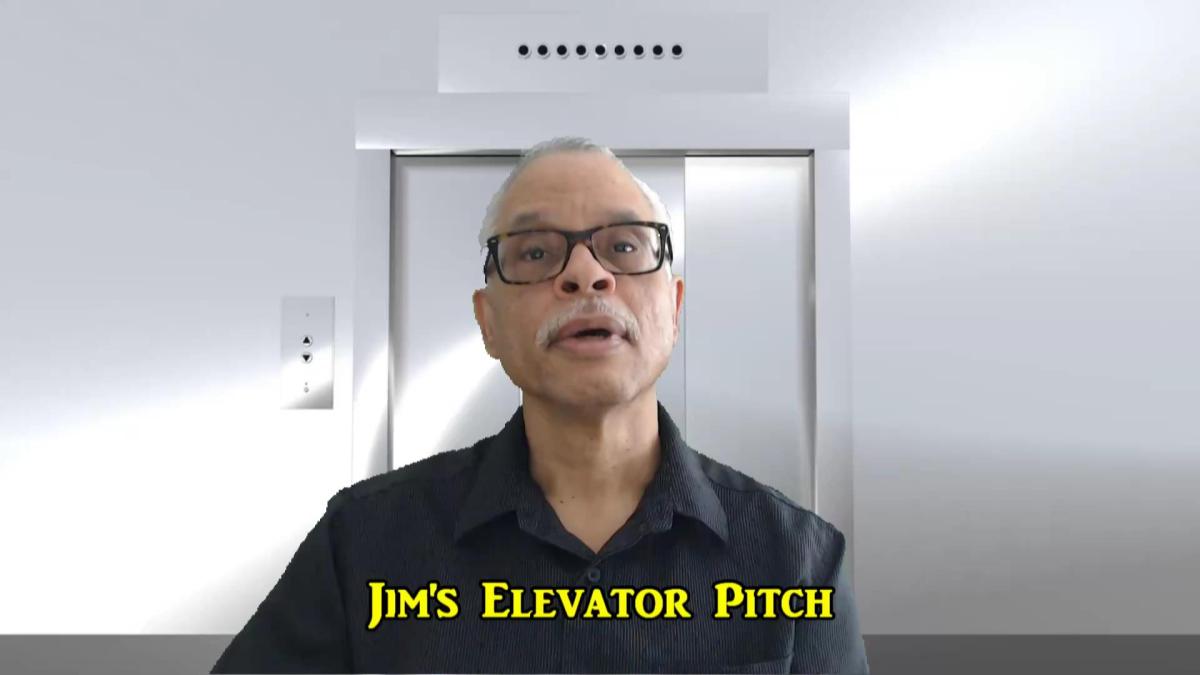
I finally got the elevator pitch green screen YouTube trailer done right—I think. It took me 4 tries. The difficulty for me was getting the green screen video actually to open up in sync with the elevator doors. What you’re supposed to see are the elevator doors seemingly opening up to an interesting scene, which is a green screen production. See my April 1, 2022 post Quick and Dirty Green Screen post.
Recall the first one I did. I moved into the elevator and stayed there where I gave my elevator pitch. See my March 18, 2022 post, New Elevator Pitch. I’m sure a lot of people knew what was odd about that. I tried again a few times, each time not feeling right about the results.
I finally had a look at PowerDirector University Malik’s tutorial (the Land of Oz Effect mentioned in the description, along with a link) on it and realized what I had to do. I actually made two green screens. I made one the right way with me giving the elevator pitch and superimposed on an old video of Niagara Falls which Sena and I visited on a vacation.
Then, I made another green screen production using the free elevator clip green screen download and Niagara videos. What I kept doing wrong was placing the elevator introduction and the Niagara clips on the wrong tracks in the PowerDirector video editing software. When I reversed them (the downloaded free elevator clip below the clip of me giving the elevator pitch at Niagara Falls , it worked—with a little nudging of the Niagara clip.
I used PowerDirector 17 Screen Recorder for the first time today to make a video of how to use PowerDirector to make a simple green screen recording. It’s a very simple how-to and it’s another greenhorn production. It was fun.
I just made a new and much shorter elevator pitch video for my YouTube channel using green screen yesterday . I grabbed a free elevator clip from Pixabay to make the 20 second video. Getting my lines right took the longest time. See my Greenhorn Green Screen post from yesterday for instructions using Power Director software. Or use the software of your choice!
Yesterday, the Elgato Green Screen arrived and unboxing took longer than deploying the green screen itself, which just pulls up and pushes back down into its case. You can see how it works on my YouTube channel. I had to update this post this morning when Sena reminded me that today is St. Patrick’s Day!
Actually, making a green screen video was harder—but not terribly hard. I think the software for processing a green screen project probably differs from brand to brand, although I can’t swear to it. Anyway, I used Power Director and the instruction from PowerDirector University were really helpful. Frankly, I tried so many times to make a halfway decent video that I got plenty of practice.
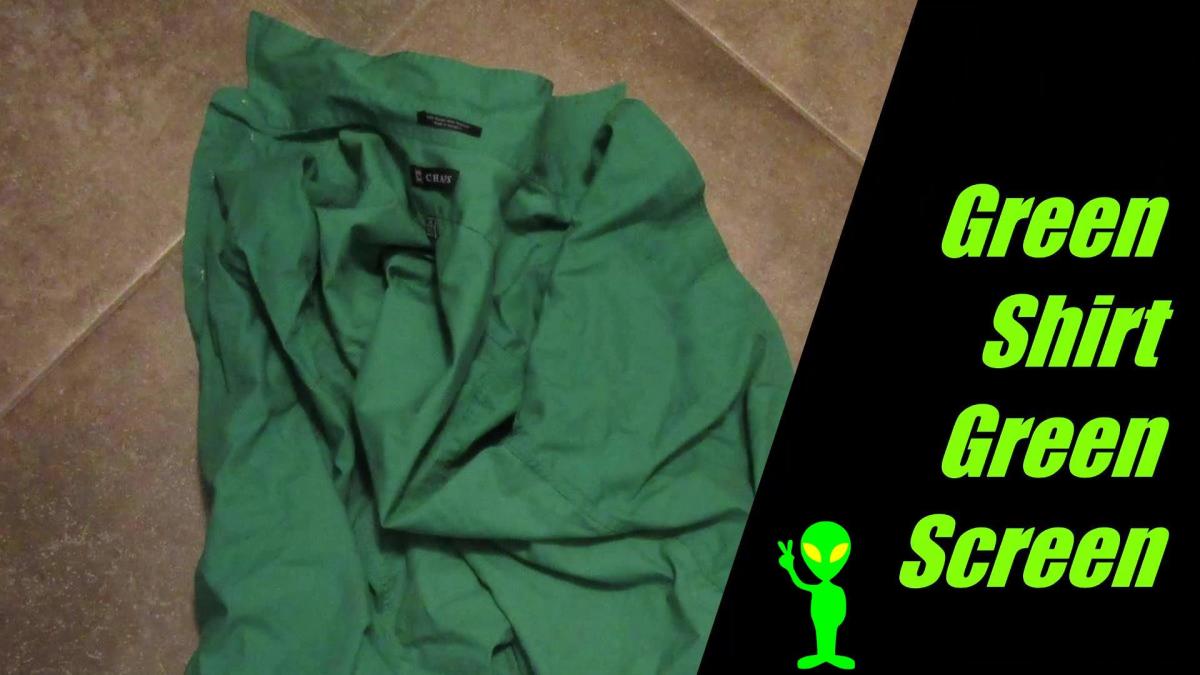
I even tried to make a really bizarre green screen by wearing my green shirt. Much to my surprise, it didn’t really make any difference, which shows how little I know about this.
I was a little worried about the lack of light control I had. I have big faux wood blinds in my office but I moved the screen closer to the back of my chair and that seemed to help. I had to be very mindful that it was right behind me so I would avoid running over it with my chair.
The first few videos I made I looked like a monster because my eyeglasses, my eyes, and even the inside of my mouth gleamed with bright, ghostly lights. The more I tinkered with the chroma key and denoise control, the less prominent they got. If you notice, I still look a little green around the gills. I need practice.
The screen came with a few instructions:
Use the central handle to extend or contract the screen; try to avoid touching the screen itself.
Be careful when setting up near children.
Only use the central handle to raise and lower it so you won’t jam your fingers.
Use the stabilizer feet; otherwise, it will fall over.
When not in use, lay the screen horizontally on its feet.
Don’t leave the screen exposed to direct sunlight.
Don’t attach items to the screen.
Don’t set it up in areas prone to strong air currents, which can make the screen and move and compromise image quality.
Keep the screen free from dirt and dust; if it needs cleaning use a soft cloth with water and mild, neutral detergent. Never use benzene, thinner, and other volatile agents because they can cause permanent damage.
Don’t iron the fabric; small wrinkles will smooth out with time.
In a couple of days, I’m going to get a green screen delivered. I hope it works to create special photo and video effects I wouldn’t otherwise be able to pull off—unless I used an old green shirt like I did for the chicken wishbone video. The wishbone is obviously way out of scale compared to the chicken, which is one of several sculptures on the Iowa River Landing Sculpture Walk in Coralville installed in 2013. It’s called Iowa Blue: The Urbane Chicken.
The green screen I’ll get is more professional and will likely take alien guidance to learn how to use it properly. Since aliens never reply to emails (greenguy@galaxy9dotorg) or take phone calls, I’ll have to get directions elsewhere. The link is to a website where I saw the abbreviation TLDR for the first time; it means “too long; didn’t read.” It’s very long, but I did read a fair chunk of it.
I used the green shirt sleeve to help me edit my video in order to make a composite of the wishbone and The Urbane Chicken. I just set the chicken bone on it and made a short video of it. Then I used video editing software to clean out all the green from the chicken bone video and superimposed it on the big chicken photo, making it look like an alien object hovering next to the chicken.
I know it doesn’t make any sense, but I did it anyway. I’m hoping I’ll have better luck with a real green screen, if I can figure out how to use it.
I just got my new computer a couple of days ago, the Dell XPS 8950. I posted about this some time ago. Of course, It came with Windows 11 installed. I’m still trying to get used to it. It has a voice recognition feature that puzzles me. I can dictate in Word and probably other Microsoft applications. However, it seemed to work whether I used a microphone or not. That was puzzling until I relearned by trial and error that my webcam audio connects when my desk stand USB microphone is not plugged in.
I dictated this entire post on the Microsoft Word application containing the dictation feature. I write all my posts in Word before copying and pasting it into my blog, So, this was just an extra step. However, it made the work of creating the post a lot harder.
I’m pretty sure this feature was on my last computer and the Word application that came with it. I just can’t recall it. I know I never used it.
However, it still works the same way as another voice recognition system I have used before-and that’s, of course, Dragon Naturally Speaking. I left a few examples of how this usually works in this blog post just for fun. I have italicized them, but that was probably unnecessary.
I use dragon a lot. When I was working as a. The guy in the dental hospital.
I left that last sentence just exactly the way it was when I finished dictating it, just to make a point.
The point is obvious. You can get a lot of comical errors from using voice recognition software. And I noticed a lot of times that I could type a lot faster than I could dictate.
I used to use a disclaimer, like a lot of other doctors did, after I finished my dictations, similar to the one below:
“This note was created by speech recognition. Minor errors in transcription may be present. Please call if questions.”
This won’t provide immunity to malpractice. But mistakes were so. Problem. In voice recognition software that it seemed necessary to make apologetic–sounding excuse for them.
The voice recognition Feature in the. Microsoft Word app. Has the same problem. You’d better not hesitate more than a microsecond in between words. It’ll put periods everywhere you do that. It will also create capital letters for words that don’t require that. Who are?
That last quotation mark? Who are? Was supposed to be.
OK, OK, it was supposed to give me a new line because I said, “new line,” but it’s a lot faster to just type than to dictate. Notice that the italicized portions of this post are becoming more prevalent. Move on. I said “new line” please:
I don’t think these hiccups are specific to Windows 11 or Microsoft or the Dell XPS 8950.
In fact, I’m pretty happy with my new computer. It does weigh 30 pounds (I did not say 40 pounds, but for some reason the dictation dragon asked me if I said that).
But it’s a lot quieter, except when it’s breathing fire.
I’ve been getting messages from Microsoft needling me to update my computer to Windows 11. I’m familiar with the tone and wording which is supposed to nudge me to do something which I might regret. I’m also familiar with the awful blue screen of death. Even though Microsoft assures me my computer is Windows 11 ready—I’m not.
And I’ve seen the article about the old computer wizard named Carlos who was able to update his 15-year-old Intel Pentium computer to Windows 11. That should have been impossible. It doesn’t make me more comfortable about updating my modern machine.
I’m also sort of in the market for a new computer. I was all set to order a Dell XPS 8940. Sena is a genius shopper and asked if I’d checked to see if there was a newer model on the launching pad. She reminded me that I had made a similar purchase several years ago and regretted just missing the new model that came out only days after I bought the machine which I thought was the newest model. I’m thinking of an old commercial from many moons ago, showing a happy guy driving down the road in his convertible, his arm draped lovingly around a big box containing what he obviously thought was the latest and greatest computer—which he had just bought. He looks up and sees a billboard showing a picture of a model that is obviously the next generation up from his.
So, I got on line and searched and could find nothing newer than the Dell XPS 8940. I searched the Dell web site and could not find anything on the XPS 8950. She got on line and triumphantly called out she had found a newer model in the wings, the Dell XPS 8950. I rephrased my search term to ask a question, “Is there a Dell XPS model newer than the 8940?”
Bang, there were several hits for the XPS 8950. They were mostly press releases from late October 2021, although one of them was a question from a guy who tapped the Dell Community users web page. He asked “Should I have waited for the 8950?!—I just bought a 8940—Need Advice.” It was dated October 28, 2021. One user suggested looking a web page which pointed to an XPS 8950 press release with 138 comments. Many of them were obviously from experienced computer experts who spoke tech lingo beyond my understanding, but mentioned things like the 3 fans and a liquid cooling system in the much larger tower, and the opportunity to easily overclock the CPU.
I remember reading about overclocking many years ago. It involved soldering, if you can believe that. I think I flunked soldering back in shop class. I guess overclocking is easier now—for guys like Carlos. Incidentally, why does overclocking sound like a perk? Why can’t Dell just make the CPU powerful enough to obviate the need for overclocking? I probably just don’t get the power gamer culture out there.
Anyway, the XPS 8950 is supposed to be out by next month. Needless to say, there are no Black Friday deals for it, especially if it’s not even advertised on the Dell website. Maybe Dell is just trying to sell down the XPS 8940 inventory.
There are more than 7,000 customer reviews out there about the XPS 8940, most of them positive. You can get it loaded with Windows 11, which has not been out there for very long. My impression of the negative reviews is that the machines take a long time to boot up. Could Windows 11 be influencing that?
I still have a vintage calculator. It’s a Sharp ELSI MATE EL-505. You can buy one on eBay for $30. I bought this dinosaur back in the early 1980s just before heading to college at Iowa State University. It’s still usable, so just because it is vintage doesn’t mean it is wreckage. The original batteries last for over a decade at least, and probably longer.
My original major was engineering but I quickly changed my mind and eventually ended up in medical school at The University of Iowa. I’ve been retired from being a consultation-liaison psychiatrist now for a year. A couple of days ago, I ran into someone I know from the hospital and she asked me how retirement was going. She was on her way into and I was on my way out of Best Buy (nothing big, just a toner cartridge). I mumbled something quickly about having ups and downs but in general doing OK. The automatic door kept opening and closing. It was distracting so we said quick goodbyes.
We’ve got a couple of computers at home that are probably quickly becoming vintage, especially now that Microsoft is pushing the next iteration of the operating system (OS), Windows 11. The introduction is having a rough start, beginning with the puzzling PC readiness checker. You got a message that your PC would either be good to go with Windows 11—or not. That was pretty much it until the complaints started cropping up, generally starting with “What the heck do you mean it won’t run on my machine; why not?” They finally dropped the PC checker routine.
We’ve been through pretty much every Windows OS since Windows 95. If you’re wondering why go through all that, let me say that I actually started with a Mac at the hospital in my first year on the job at the hospital, on the advice of my mentor and first supervisor on the psychiatry consult service. He had a Mac and liked it a lot. On the other hand, even though I liked it too, it soon became clear that it was often impossible to interface with the PC-based office support staff network. I ended up going with a PC and have been dealing with Windows ever since.
Actually, my very first computer was given to me by an endocrine staff physician who co-attended with me in the medical-psychiatry unit. I didn’t pay a dollar for it and it was obviously vintage, in the negative connotation as I soon discovered after trundling it out to the parking lot in a cart and getting it home. When I pressed the power button—nothing happened. I returned it the very next day. My colleague could not explain it.
I could not get Windows 95 to run basic computer games at first. Even Myst, a simple point and click game that probably nobody remembers, would freeze and lock up the machine. I spent hours on the phone with tech support. You could do that then. It was not fun. Windows 98 was only slightly better. I’m still trying to forget Windows Me (Windows Millennium Edition or Mistake Edition). Windows XP had some longevity and ran OK. Windows Vista was another dud. I can’t remember much about Windows 7. I hated Windows 8 Live Tiles nonsense. We’ve been coping with Windows 10 and the updates to the present day.
Now here comes Windows 11 and seems like the most I can recall from articles about it is that it will have a Mac-like graphic interface. Then why shouldn’t I just go back to the Mac?
In some ways, my vintage calculator has done better over time than Windows. I can even spell “hello” on it.
It can take a while longer than you expect when you do a system reset of your computer. I’m still trying to get my software reinstalled. You know, it’s not very funny when you get the message that all of your apps are going to be expunged and the long list you see on the screen is followed by the promise that (not to worry) this list will be available on your desktop after the reset, so you don’t have to remember it or try to copy it down.
That’s a bald-faced lie; don’t believe it.
The best example today is my quest to track down the software for my Webcam. Since it got wiped during the reset, I navigated to Logitech’s web support page thinking I would just re-download it from there.
Wrong. The only software listed were updates that either didn’t work, were not applicable for what I wanted to do with them, or were incompatible with my video editing software. No kidding, one of the apps recorded audio but the video editing software could not play the video.
Now I knew that the software for my particular version of the Webcam was old but it worked with Windows 10. None of the other new apps did, which was ironic.
I couldn’t find the old app on Logitech’s site at first. In a roundabout way, by googling and sitting through a YouTube that displayed one of Logitech’s web pages, which was not really obvious at first–I eventually blundered onto Logitech’s web page where I could download the old rickety software. It was at the bottom of a long list of apps only a couple of which were compatible with Windows 10.
But it worked with my video editing software and, unlike the new software, didn’t give me annoying messages in big red letters suggesting that my nearly new computer didn’t have the resources to run it.
I like the Webcam part of making videos because it allows me to do things like put my talking head into a PowerPoint presentation, like the one below:
I realize that’s work-related and I’m supposed to be retiring. However, just before I did all that hunting for the old Webcam software, I had been out in the yard with my wife, me trimming the edges of the lawn while she mowed. I also applied grub control granules with a drop spreader. That’s actually about just as much exercise as a moderate jog around the block.
Finally, the explanation for the picture of the hummingbird feeder above. Today we retired it, which fits the theme of my life in a way. For one thing, it’s a pain to fill that thing with sugar water (which I have to mix each and every time, 4:1 water to sugar).
The other problem are the pesky carpenter ants which climb all over it. I know there are ways to prevent that–sort of. On the other hand, hummingbirds have to deal with them all the time in nature, don’t they?
How do hummingbirds usually defend themselves against ants, anyway? Maybe they need to take martial arts classes. They could also use their brains, which proportionally are larger than ours, by the way. They’re smart enough to come up with a clever argument to persuade ants to scram: “It has been documented in numerous scientific studies that sugar water makes ants explode.”
Our hummingbird feeder is now just another decorative object in the garden.









 Go Retire Psychiatrist